Publishers of technology books, eBooks, and videos for creative people

Home > Store > Adobe Photoshop > Technique

Learn Adobe Photoshop CS4 by Video: Core Training in Visual Communication

Add To My Wish List

  • Copyright 2009
  • Edition: 1st
  • DVD
  • ISBN-10: 0-321-63493-4
  • ISBN-13: 978-0-321-63493-1

Register your product to gain access to bonus material or receive a coupon.

  • Audio & Video
  • Description
  • For Instructors
  • Reviews
  • Sample Content
  • Updates

Learn by Video offers you a refreshingly new and fun way to learn Adobe Photoshop CS4 and will help you get certified along the way!

This innovative new product from Adobe Press combines hours of interactive video and a printed reference to teach you the basics of Photoshop CS4. As the official training for the Adobe Certified Associate exam,  Learn by Video teaches you not only the fundamentals of Photoshop, but also how to use the program to create effective forms of digital communication.

You’ll get an incredible 19 hours of video, presented by experienced instructors Gabriel Powell and Mikkel Aaland, as well as lesson files, assessment quizzes and review materials. The DVD is bundled with a printed booklet that provides a topic-by-topic guide to the video. The video is wrapped in a unique interface that allows the viewer to jump to any topic, and to bookmark individual topics for later review. Project files used in the lessons are included on the disk so the students can practice what they’ve learned, and review questions help to reinforce freshly gained knowledge. Other key features of Learn by Video include:

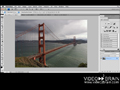
  • Watch-and-Work mode: shrinks the video tutorials into a small window so you can work in Photoshop and watch the videos at the same time.
  • Tutorials to Go!: Transfer selected videos to your iPhone, iPod or compatible cell phone

Learn Adobe Photoshop CS4 by Video presents basic principles of graphic design, including copyright, file formats, project planning, and file importing and exporting. Most of the video is devoted to fundamentals of Photoshop, introducing the user to the program’s interface, how to use essential tools and commands, and how to use the Layers feature. Image manipulation is covered, including color and tone adjustment, as well as retouching and combining images. More advanced topics include creative work such as the use of filters to achieve special effects, applying styles to layers, and combining type with imagery. Students also learn how to prepare images for a variety of uses, whether on screen or in print.

Customer Reviews

14 of 14 people found the following review helpful
5.0 out of 5 stars Great for learning the basics of Photoshop!, June 30, 2009
By 
V. Hutson - See all my reviews
(VINE VOICE)    (TOP 500 REVIEWER)    (REAL NAME)   
This review is from: Learn Adobe Photoshop CS4 by Video: Core Training in Visual Communication (Paperback)
Customer review from the Amazon Vine™ Program (What's this?)
I've watched a lot of videos on using Photoshop and I think these are among the best I've seen for teaching the basics. The lessons are presented clearly and they are easy to understand and follow.

The author doesn't inject a lot of his own personality into the videos, which I think is okay since the focus is on a clear presentation of how to use the software. I thought his video on using "Curves" to be one of the best I've seen.

Here is a basic list of the index showing the 10 major areas and the number of videos in each.

1. Getting Started with Photoshop (27 videos,)
2. Image Editing Concepts (9 videos)
3. Importing and Organizing Images (14 videos)
4. Tools (1 video, 1 interactive Toolbar)
5. Making Selections (10 videos)
6. Layers and Masks (19 videos)
7. Color Correction and Retouching (14 videos)
8. Working with Type (7 videos)
9. Preparing, Saving, and Printing Images (7 videos)
10.Color Management... Read more
Help other customers find the most helpful reviews 
Was this review helpful to you? Yes No


13 of 13 people found the following review helpful
5.0 out of 5 stars Every now and then you come across something really cool!, June 28, 2009
This review is from: Learn Adobe Photoshop CS4 by Video: Core Training in Visual Communication (Paperback)
Customer review from the Amazon Vine™ Program (What's this?)
I use Photoshop. I had CS3 and upgraded to CS4. The biggest problem with Photoshop is the same thing that makes it so great -it is so darn powerful! If you are familiar with PS you know what I am taking about.

I bought a training book on how to use it and the thing is larger than the Austin phone book (no joke). PS has so much to offer that it is hard to know where to start.

The beautiful thing about this video is that is does not try to teach you how to take better shots or guide you as to what makes a good photo. That is another topic all together. Rather this video shows you what is available in PS, where the stuff is located and how it works. The instructors do this one time through and then they move on. It is up to you to figure out how to make it work for your situation. I like this method a lot. They cover a lot of ground fast and then it is up to you to discover how to use it for your own personal situation.

It is a lot like giving... Read more
Help other customers find the most helpful reviews 
Was this review helpful to you? Yes No


10 of 10 people found the following review helpful
5.0 out of 5 stars Visual learning makes it easier, July 16, 2009
By 
Mike Birman (Brooklyn, New York USA) - See all my reviews
(VINE VOICE)    (TOP 500 REVIEWER)   
This review is from: Learn Adobe Photoshop CS4 by Video: Core Training in Visual Communication (Paperback)
Customer review from the Amazon Vine™ Program (What's this?)
Adobe Photoshop CS4 is the industry standard for a full featured creativity suite in digital photography. If you are serious about digital photography then sooner or later you will probably be tempted to try it. However, learning to use its numerous features can be a daunting task. I have often attempted to translate the words of some dense instruction book into something that resembled a working Photoshop feature only to give up in sheer confusion. This was usually because of a lack of clarity or because there had been a subtle change in a Photoshop feature that the author was unaware of. Photoshop's more advanced features can be particularly frustrating to learn. I've often hoped for an easier, more merciful way to learn the more advanced techniques. I think I may have found it.

The Learn Photoshop CS4 Video contains some 19 hours of visual instruction. It is clear, concise and to-the-point. Logically organized, watching these carefully designed videos (I watched each one... Read more
Help other customers find the most helpful reviews 
Was this review helpful to you? Yes No


Share your thoughts with other customers:
 See all 51 customer reviews...

Table of Contents

1. Introduction
2. Creating a Project from Start to Finish
3. Getting Started with Photoshop
4. Understanding the Concepts of Image Editing
5. Importing and Organizing Images
6. Photoshop Tools
7. Making Selections
8. Working with Layers
9. Masks and Transparency
10. Color Correction and Retouching
11. Working with Type
12. Transforming Images
13. Adding Creative Effects
14. Processing Camera Raw Images
15. Saving and Printing Images
16. Automating Photoshop

Errata

In the "Test Yourself" section of Chapter 7: Color Correction and Retouching, there is a question regarding the Dodge tool. The correct answer should be that the Dodge tool lightens an image.

 
Purchase Reward: 15 Day Trial to Creative Edge
By completing any purchase on Peachpit, you become eligible to try out Creative Edge free for 15 days.

Get unlimited online access to thousands of training resources on creative topics. You will also get a discounted rate of just $17.99/month if you decide to continue with a paid subscription.