Publishers of technology books, eBooks, and videos for creative people

Home > Store > Adobe Photoshop > Workflow

Adobe Photoshop CS5 Techniques for Photographers: Learn by Video

Add To My Wish List

  • Copyright 2011
  • Edition: 1st
  • DVD
  • ISBN-10: 0-321-73483-1
  • ISBN-13: 978-0-321-73483-9

Register your product to gain access to bonus material or receive a coupon.

  • Audio & Video
  • Description
  • Extras
  • Reviews
  • Updates

Video

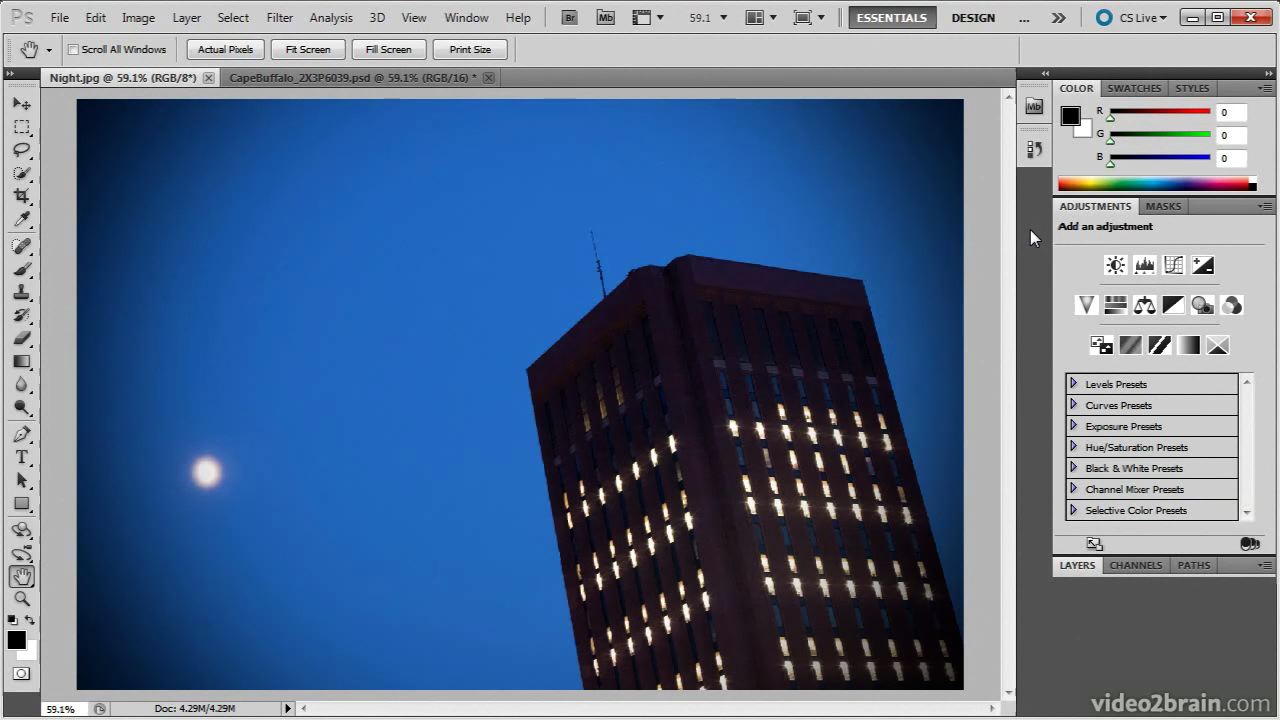
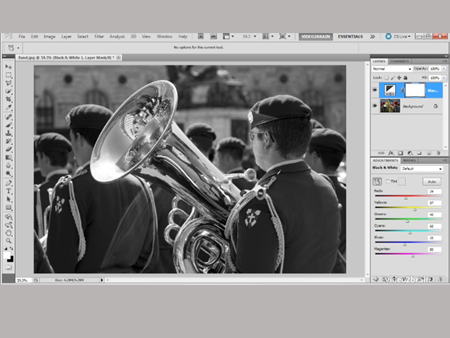
This video clip has been formatted and modified to fit this page. The actual video product provides a larger screen size and higher resolution, as well as standard player control tools such as fast forward, reverse, and scrubbing.
You need to upgrade your Flash Player. You need version 9 or above to view this video. You may download it here. You may also see this message if you have JavaScript turned off. If this is the case, please enable JavaScript and reload the page.

Learn more at www.learnbyvideo.com.

This Learn by Video title is specifically geared toward photographers who use or want to use Photoshop to make the most of their images. It combines over 10 hours of exceptional video training with a 120-page full-color guide to teach you what every photographer needs to know about Adobe Photoshop CS5.

After helping you master the program’s interface, expert trainers and authors Mikkel Aaland and Tim Grey tap into their years of photography experience to teach you core functions and new features in Photoshop CS5 including file management, image retouching, noise reduction, and making lens corrections.

Other topics include:

•    Using Adobe Camera Raw
•    Managing images in Bridge
•    Masking layers
•    Creating HDR (high dynamic range) images
•    Making complex selections
•    Color correction

And in the live action “Shop Talk” portion of the course, Mikkel and Tim meet in a North Beach photo studio to compare thoughts on everything from CMYK and the Pen tool to Content Aware Fill.

The lessons are wrapped in a feature-rich interface that lets you jump to any topic and bookmark individual sections for later review. Full-Screen mode provides a hi-def, immersive experience, and Watch-and-Work mode shrinks the video into a small window so you can play the videos alongside your application.

As with all titles in the Learn by Video series, the project files used in the lessons are included with the course, and interactive review questions help reinforce what you’ve learned. Selected videos are also provided ready to be downloaded for viewing on your iPhone, iPod, or other compatible mobile device.


Customer Reviews

13 of 13 people found the following review helpful
5.0 out of 5 stars Best Photoshop Learning Tool for Beginners, December 3, 2010
By 
M. Barros (Nashua, NH USA) - See all my reviews
(REAL NAME)   
Amazon Verified Purchase(What's this?)
This review is from: Adobe Photoshop CS5 Techniques for Photographers: Learn by Video (Paperback)
I have been looking for a while for a book to learn how to use Photoshop CS5. Taking classes was not an option as the prices were in hundreds. I purchased books. They were somewhat useful. But I am a visual person so I kept searching on google and youtube for tutorials. Again, they were helpful but topics and lessons were not connected. It was too time consuming to find the right video and then it did not have enough detail behind it. I found this DVD tutorial on Amazon. Before ordering it, I looked at their website and some of their videos on Youtube. I liked their teaching style so ordered the DVD/Book from Amazon. You can not get me away from my computer and this DVD. I just LOVE it! I can stop the lesson and try it in Photoshop at anytime. The pace is great for me and the visual effect of what each command is and does. As a beginner in Photoshop and a novice user, I highly recommend this to anyone that does not want to pay hundreds of dollars for a face-2-face class or pay... Read more
Help other customers find the most helpful reviews 
Was this review helpful to you? Yes No


7 of 7 people found the following review helpful
5.0 out of 5 stars Beautiful Intro to CS5's Features., March 16, 2011
By 
Jack E. Lundy "Jack Lundy" (Huntsville, Alabama) - See all my reviews
(REAL NAME)   
This review is from: Adobe Photoshop CS5 Techniques for Photographers: Learn by Video (Paperback)
In addition to being a top intro to CS5, my personal experience with this set of tutorials also is a vouch for its authors' integrity.

When I first got the program, it didn't work. I complained, and the course's authors immediately sent me a replacing copy that did work. Since then, I have been through the coursework and am now using it as a reference as I dip myself into using CS5 on my own imagery.

I have used many sources to learn using Adobe products such as Elements and Premiere. This disk is far and away the best I have found. While I will use the other stuff as supplements, this video is my go to reference.

When I am ready to expand my sphere a bit, I plan to go to some of the other tutorials this team offers as step one to get up to speed with minimum wheel spinning. In fact, I have also used their Light Room tutorial and was able to quickly get up to speed with it.

This company produces top products, and they stand solidly... Read more
Help other customers find the most helpful reviews 
Was this review helpful to you? Yes No


9 of 10 people found the following review helpful
2.0 out of 5 stars Video cutoff, July 20, 2011
By 
Amazon Verified Purchase(What's this?)
This review is from: Adobe Photoshop CS5 Techniques for Photographers: Learn by Video (Paperback)
This course video provides you a simplistic way of learning Adobe CS5 fundamental techniques that a photographer can adopt for its day to day work flow. The basic knowledge is clearly presented and is easy to follow. Sample images are provided so that you can practice and apply what you have learned. I am giving it a two star because there are a couple of important topics where the video is abruptly cutoff and ended before the subject matter is completely presented. I had to e-mail customer service to address the problem and they provided me a link to watch those sections of the course that are incomplete on the DVD on thier website. I requested for an updated DVD and based on customer service response they will not provide a replacement. The fact that a couple of videos on the course is ended abruptly, the editor of this course should at least let buyers know or at least provide an updated replacement DVD. Since I do have access on the internet I have no problem to visit thier link... Read more
Help other customers find the most helpful reviews 
Was this review helpful to you? Yes No


Share your thoughts with other customers:
 See all 9 customer reviews...

Updates & Corrections

PS CS5 for Photogs replacement movies ( .zip, 101mb)

 
Purchase Reward: 15 Day Trial to Creative Edge
By completing any purchase on Peachpit, you become eligible to try out Creative Edge free for 15 days.

Get unlimited online access to thousands of training resources on creative topics. You will also get a discounted rate of just $17.99/month if you decide to continue with a paid subscription.