Publishers of technology books, eBooks, and videos for creative people
Image Editing with Camera Raw in Adobe Photoshop CS5: Learn by Video
- By Mikkel Aaland, video2brain
- Published Jun 19, 2011 by Peachpit Press. Part of the Learn by Video series.
Student Supplement
- Sorry, this book is no longer in print.
Audio & Video
Video
This video clip has been formatted and modified to fit this page. The actual video product provides a larger screen size and higher resolution, as well as standard player control tools such as fast forward, reverse, and scrubbing.
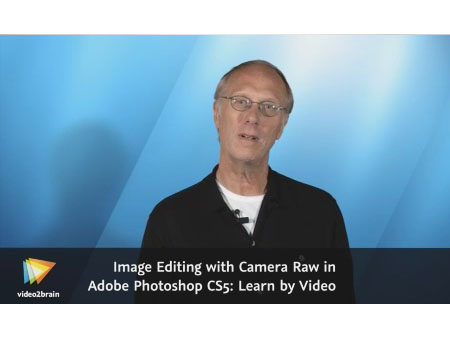
You need to upgrade your Flash Player. You need version 9 or above to view this video. You may download it here. You may also see this message if you have JavaScript turned off. If this is the case, please enable JavaScript and reload the page.
Description
- Copyright 2011
- Edition: 1st
- Student Supplement
- ISBN-10: 0-321-78688-2
- ISBN-13: 978-0-321-78688-3
This innovative product uses interactive video to teach digital photographers how to use the Adobe Camera Raw plugin in Adobe Photoshop CS5. Users will learn the ins and outs of the Adobe Camera Raw workspace and how to use preview and analysis tools to determine how to adjust an image. The video demonstrates how to automatically and manually optimize image tones and how to get the correct white balance, as well as how to optimize a batch of images. Viewers will learn how to get localized control over an image with the adjustment brush and how to make a dramatic sky with the graduated filter. Sharpening is an important part of image processing, and this video covers the essentials of this complex subject.
Award-winning photographer Mikkel Aaland presents three hours of exceptional quality video tutorials, complete with lesson files, assessment quizzes, and review materials. The video is wrapped in a unique interface that allows the viewer to jump to any topic and also bookmark individual sections for later review. The unique Watch-and-Work mode shrinks the video into a small window to allow the student to work alongside in Photoshop. Project files used in the lessons are included on the disc so viewers can practice what they've learned, and interactive review questions help reinforce freshly gained knowledge.
The DVD-ROM is bundled with a printed booklet that provides supplemental material to enhance the video training.
More Information
Other Things You Might Like
